🚀 ⚡️ Locust Mcp Server

A Model Context Protocol (MCP) server implementation for running Locust load tests. This server enables seamless integration of Locust load testing capabilities with AI-powered development environments.
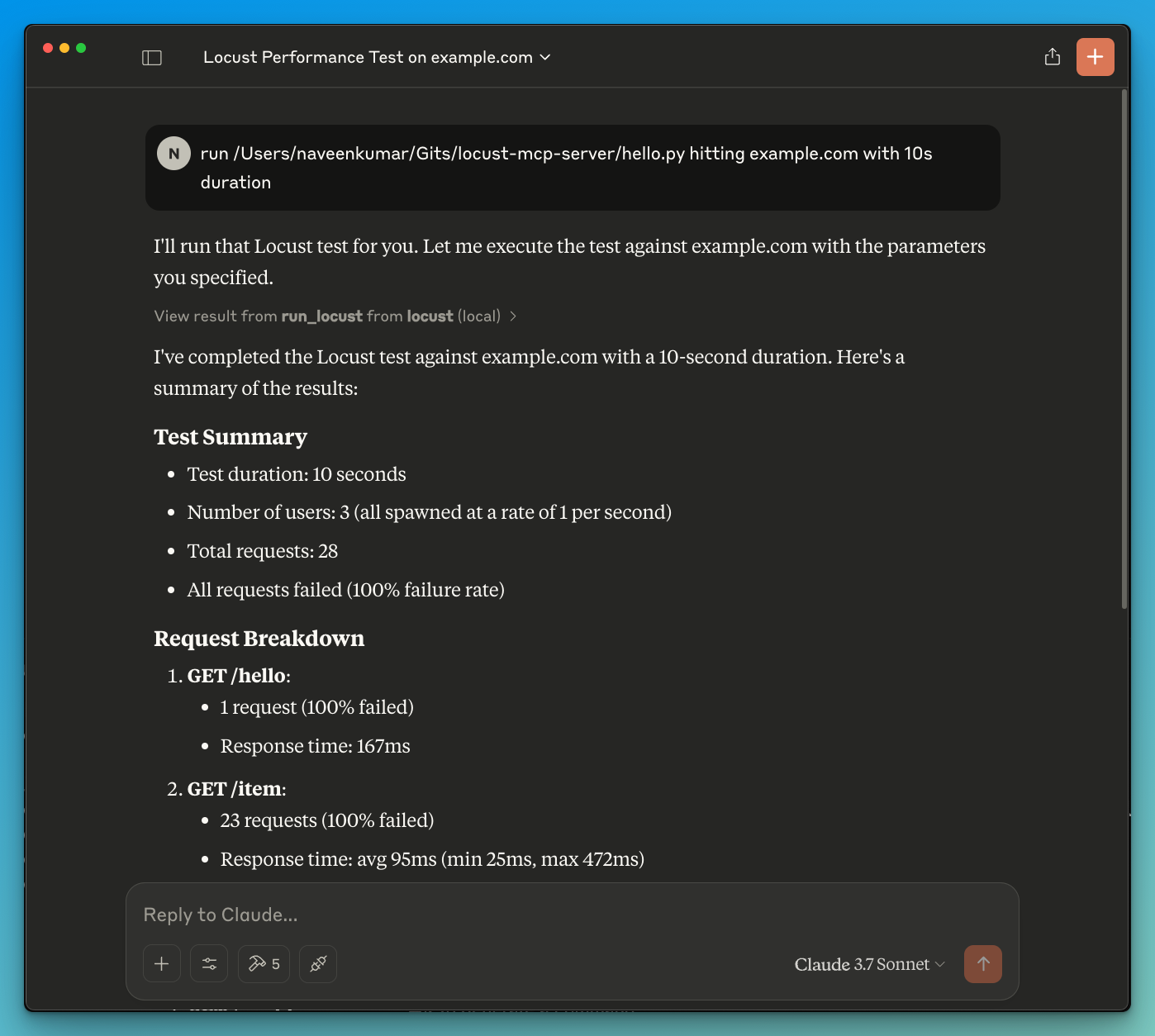
Overview
What is Locust MCP Server?
The ### Locust MCP Server is a specialized implementation designed to facilitate load testing using Locust, a popular open-source load testing tool. This server allows users to run load tests efficiently by integrating Locust's capabilities with AI-powered development environments. It provides a robust framework for simulating user traffic and measuring system performance under various conditions, making it an essential tool for developers and testers aiming to ensure their applications can handle expected loads.
Features of Locust MCP Server
- Seamless Integration: The Locust MCP Server integrates smoothly with existing development environments, allowing for easy setup and execution of load tests.
- AI-Powered Capabilities: Leverage AI technologies to enhance load testing strategies, providing insights and optimizations that traditional methods may overlook.
- Scalability: The server is designed to handle a large number of concurrent users, making it suitable for testing applications of all sizes.
- Real-Time Monitoring: Users can monitor the performance of their applications in real-time during load tests, enabling immediate feedback and adjustments.
- Customizable Scenarios: Create tailored load testing scenarios that mimic real-world user behavior, ensuring that tests are relevant and effective.
How to Use Locust MCP Server
- Installation: Begin by installing the Locust MCP Server on your machine or server. Follow the installation instructions provided in the documentation.
- Configuration: Configure the server settings to match your testing requirements. This includes setting up the number of users, test duration, and any specific scenarios you wish to simulate.
- Run Tests: Start the load tests through the server interface. Monitor the progress and results in real-time to gain insights into your application's performance.
- Analyze Results: After the tests are complete, analyze the results to identify bottlenecks, performance issues, and areas for improvement.
- Iterate: Based on the findings, make necessary adjustments to your application and repeat the testing process to ensure optimal performance.
Frequently Asked Questions
Q: What is the primary purpose of the Locust MCP Server?
A: The primary purpose is to facilitate load testing for applications, allowing developers to simulate user traffic and assess performance under various conditions.
Q: Can I integrate Locust MCP Server with other tools?
A: Yes, the Locust MCP Server is designed to integrate with various development and testing tools, enhancing its functionality and usability.
Q: Is there a cost associated with using Locust MCP Server?
A: The Locust MCP Server is open-source and free to use, making it accessible for developers and organizations of all sizes.
Q: How can I contribute to the Locust MCP Server project?
A: Contributions are welcome! You can participate by reporting issues, suggesting features, or submitting code improvements through the project's repository.
Q: Where can I find more information about Locust MCP Server?
A: For more detailed information, documentation, and support, visit the official website at qainsights.com.
Details
Server Config
{
  "mcpServers": {
    "locust-mcp-server": {
      "command": "docker",
      "args": [
        "run",
        "-i",
        "--rm",
        "ghcr.io/metorial/mcp-container--qainsights--locust-mcp-server--locust-mcp-server",
        "python main.py"
      ],
      "env": {}
    }
  }
}


