Mcp Terminal

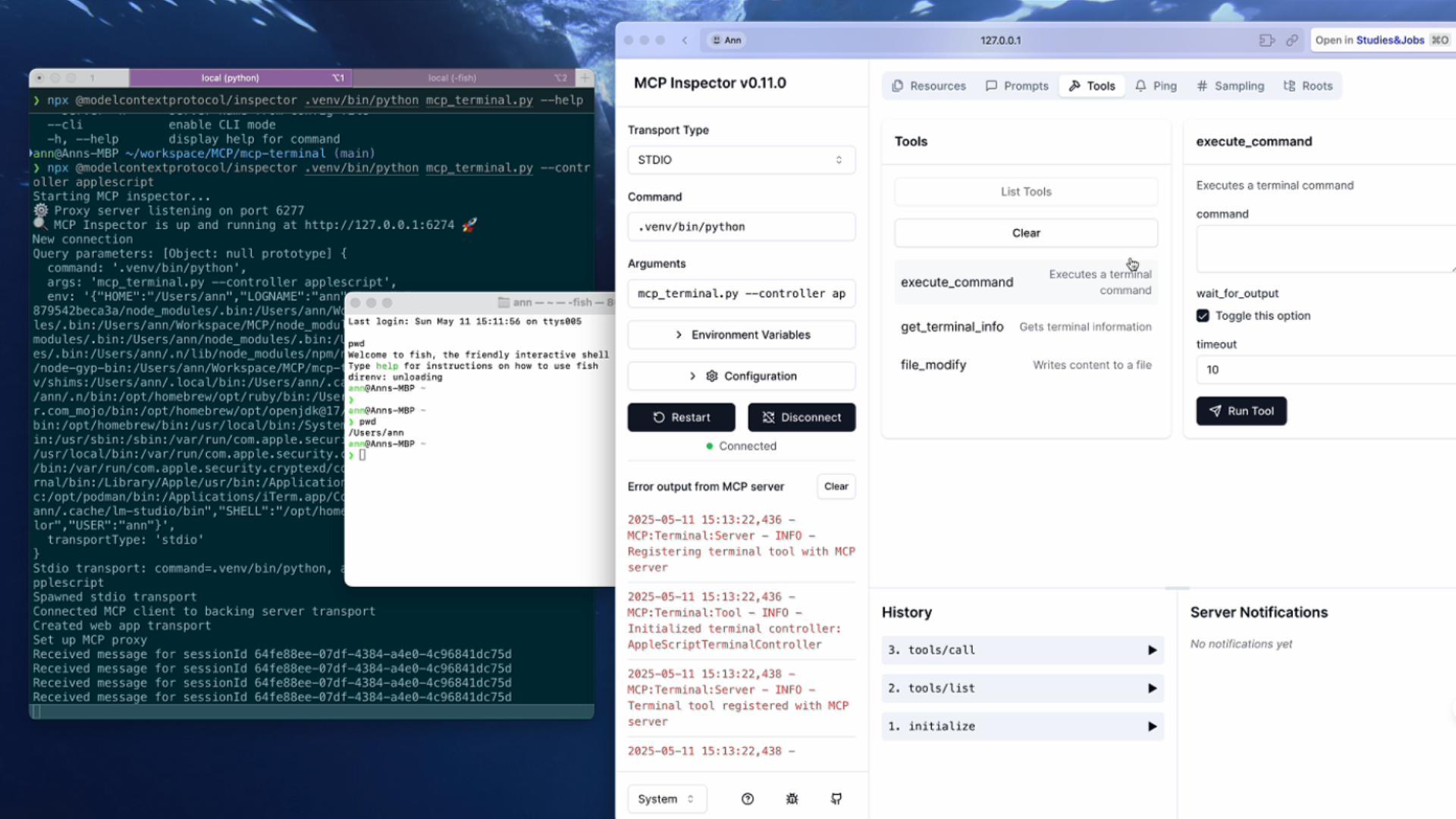
MCP Terminal is a terminal control server based on MCP (Model Context Protocol), specifically designed for integration with large language models (LLM) and AI assistants. It provides a standardized interface that allows AI to execute terminal commands and obtain output results.
Overview
What is MCP Terminal?
MCP Terminal is a terminal control server based on the Model Context Protocol (MCP), specifically designed for integration with large language models (LLMs) and AI assistants. It provides a standardized interface that allows AI systems to execute terminal commands and retrieve output results seamlessly. This functionality is crucial for developers looking to enhance their applications with AI capabilities that require command-line interactions.
Features of MCP Terminal
- Standardized Interface: MCP Terminal offers a consistent and easy-to-use interface for AI systems to interact with terminal commands.
- Integration with AI: It is specifically designed to work with large language models, making it an ideal choice for developers in the AI space.
- Command Execution: The terminal allows for the execution of various commands, enabling AI to perform tasks that require command-line access.
- Output Retrieval: After executing commands, MCP Terminal retrieves and returns the output, which can be utilized by AI systems for further processing or decision-making.
- Public Repository: MCP Terminal is available as a public repository, allowing developers to contribute, fork, and enhance the project.
How to Use MCP Terminal
-
Installation: Clone the MCP Terminal repository from GitHub to your local machine.
git clone https://github.com/sichang824/mcp-terminal.git -
Setup: Follow the instructions in the repository to set up the environment and dependencies required for running MCP Terminal.
-
Integration: Integrate MCP Terminal with your AI application by utilizing its API to send commands and receive outputs.
-
Command Execution: Use the provided methods to execute terminal commands through your AI model and handle the responses accordingly.
-
Contribute: If you have improvements or features to add, consider forking the repository and submitting a pull request.
Frequently Asked Questions
Q1: What programming languages does MCP Terminal support?
A1: MCP Terminal is designed to be language-agnostic, allowing integration with any programming language that can make HTTP requests.
Q2: Can I use MCP Terminal for commercial purposes?
A2: Yes, MCP Terminal is licensed under the MIT license, which permits commercial use.
Q3: How can I contribute to the MCP Terminal project?
A3: You can contribute by forking the repository, making your changes, and submitting a pull request. Please ensure to follow the contribution guidelines outlined in the repository.
Q4: Is there documentation available for MCP Terminal?
A4: Yes, detailed documentation is available in the repository, including setup instructions, API usage, and examples.
Q5: What are the system requirements for running MCP Terminal?
A5: MCP Terminal can run on any system that supports the necessary dependencies, typically requiring a modern operating system and a compatible runtime environment.
Details
Server Config
{
  "mcp": {
    "servers": {
      "terminal": {
        "command": "docker",
        "args": [
          "run",
          "--rm",
          "-i",
          "--mount",
          "type=bind,src=${workspaceFolder},dst=/workspace",
          "mcp-terminal",
          "mcp-terminal",
          "--mode",
          "sse",
          "--host",
          "0.0.0.0",
          "--port",
          "8000"
        ]
      }
    }
  }
}Mcp Terminal Alternative
For some alternatives to Mcp Terminal that you may need, we provide you with sites divided by category.



A powerful Model Context Protocol (MCP) server that offers a comprehensive solution for public web access.

Enhanced MCP server for interactive user feedback and command execution in AI-assisted development, featuring dual interface support (Web UI and Desktop Application) with intelligent environment detection and cross-platform compatibility.


This read-only MCP Server allows you to connect to Email data from Claude Desktop through CData JDBC Drivers. Free (beta) read/write servers are available at https://www.cdata.com/solutions/mcp

Official Firecrawl MCP Server - Adds powerful web scraping capabilities to Cursor, Claude, and any other LLM clients.

Time MCP Server is a Model Context Protocol server that provides time and timezone conversion capabilities. It enables LLMs to get current time information and perform timezone conversions using IANA timezone names, with automatic system timezone detection.
