Security Audit Tool

A powerful MCP (Model Context Protocol) Server that audits npm package dependencies for security vulnerabilities. Built with remote npm registry integration for real-time security checks.
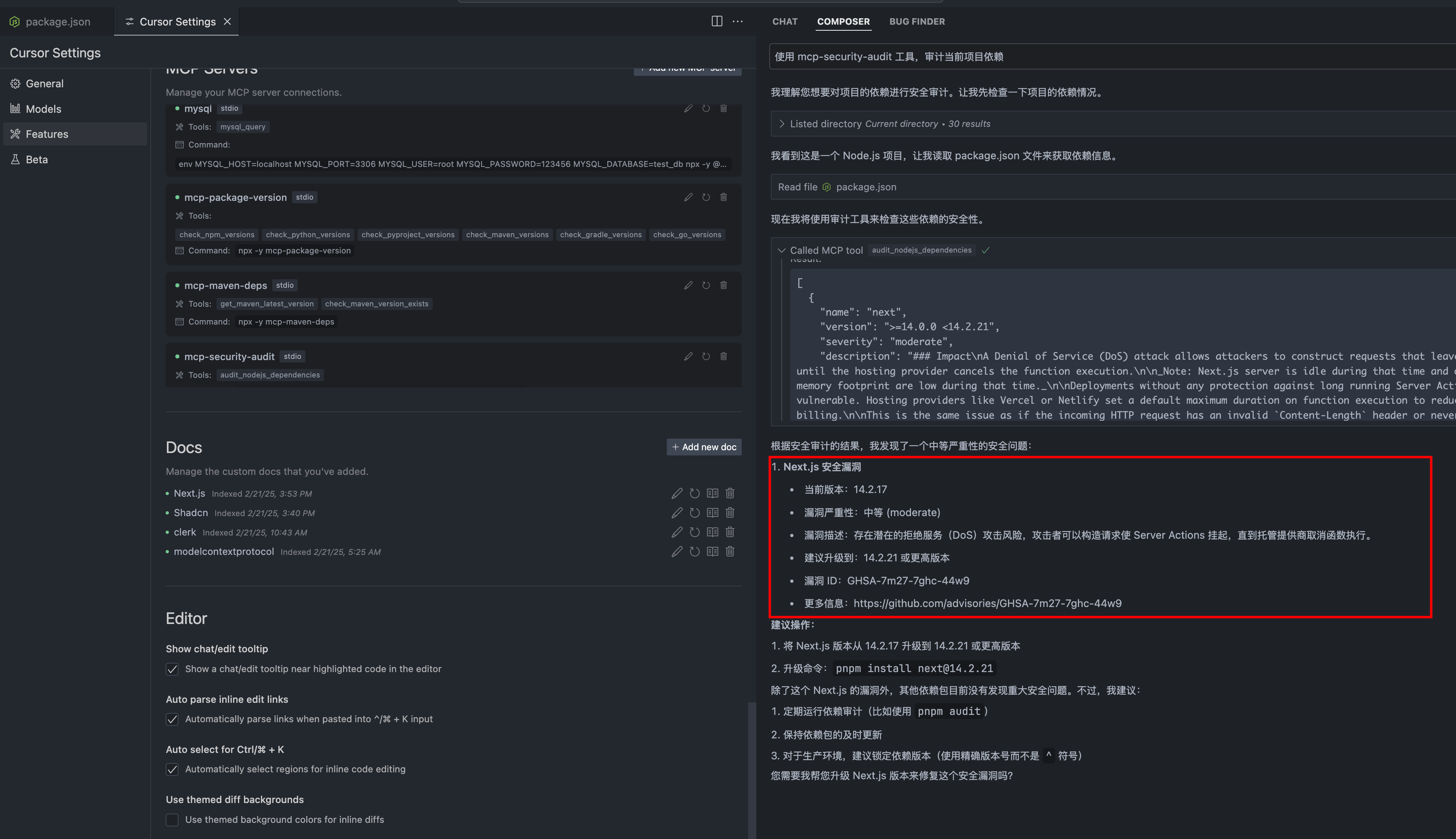
Overview
What is MCP Security Audit?
MCP Security Audit is a powerful tool designed to audit npm package dependencies for security vulnerabilities. It utilizes the Model Context Protocol (MCP) to ensure that developers can maintain secure applications by identifying potential risks in their dependencies. The tool integrates seamlessly with remote npm registries, allowing for real-time security checks and providing developers with immediate feedback on the security status of their packages.
Features of MCP Security Audit
- Real-time Security Checks: The integration with remote npm registries enables instant security assessments of package dependencies.
- Comprehensive Vulnerability Reporting: MCP Security Audit provides detailed reports on identified vulnerabilities, including severity levels and recommended actions.
- User-friendly Interface: The tool is designed with usability in mind, making it easy for developers to navigate and understand the security status of their projects.
- Open Source: Being a public template, developers can contribute to its improvement and customize it according to their needs.
- Community Support: With an active community of users and contributors, developers can seek help and share insights regarding security practices.
How to Use MCP Security Audit
-
Installation: Begin by installing the MCP Security Audit tool via npm. Use the command:
npm install mcp-security-audit -
Running the Audit: After installation, navigate to your project directory and run the audit command:
mcp-security-audit -
Reviewing the Report: Once the audit is complete, review the generated report. It will list all vulnerabilities found, categorized by severity.
-
Taking Action: Follow the recommendations provided in the report to address the vulnerabilities. This may include updating packages, removing unused dependencies, or applying patches.
-
Continuous Monitoring: Regularly run the audit as part of your development workflow to ensure ongoing security compliance.
Frequently Asked Questions
What types of vulnerabilities can MCP Security Audit detect?
MCP Security Audit can detect a wide range of vulnerabilities, including outdated packages, known security flaws, and potential exploits in your npm dependencies.
Is MCP Security Audit free to use?
Yes, MCP Security Audit is an open-source tool and is free to use. Developers can also contribute to its development and improvement.
How often should I run the audit?
It is recommended to run the audit regularly, especially after adding new dependencies or updating existing ones. Integrating it into your CI/CD pipeline can help maintain security standards.
Can I customize the audit reports?
Yes, the tool allows for customization of reports to fit your project's specific needs. You can modify the output format and the level of detail included in the reports.
Where can I find more information about MCP Security Audit?
For more details, documentation, and community support, visit the official website at mcpdirs.com.
Details
Server Config
{
  "mcpServers": {
    "mcp-security-audit": {
      "command": "docker",
      "args": [
        "run",
        "-i",
        "--rm",
        "ghcr.io/metorial/mcp-container--qianniuspace--mcp-security-audit--mcp-security-audit",
        "node ./build/index.js"
      ],
      "env": {}
    }
  }
}
