🚀 Jmeter Mcp Server

✨ JMeter Meets AI Workflows: Introducing the JMeter MCP Server! 🤯
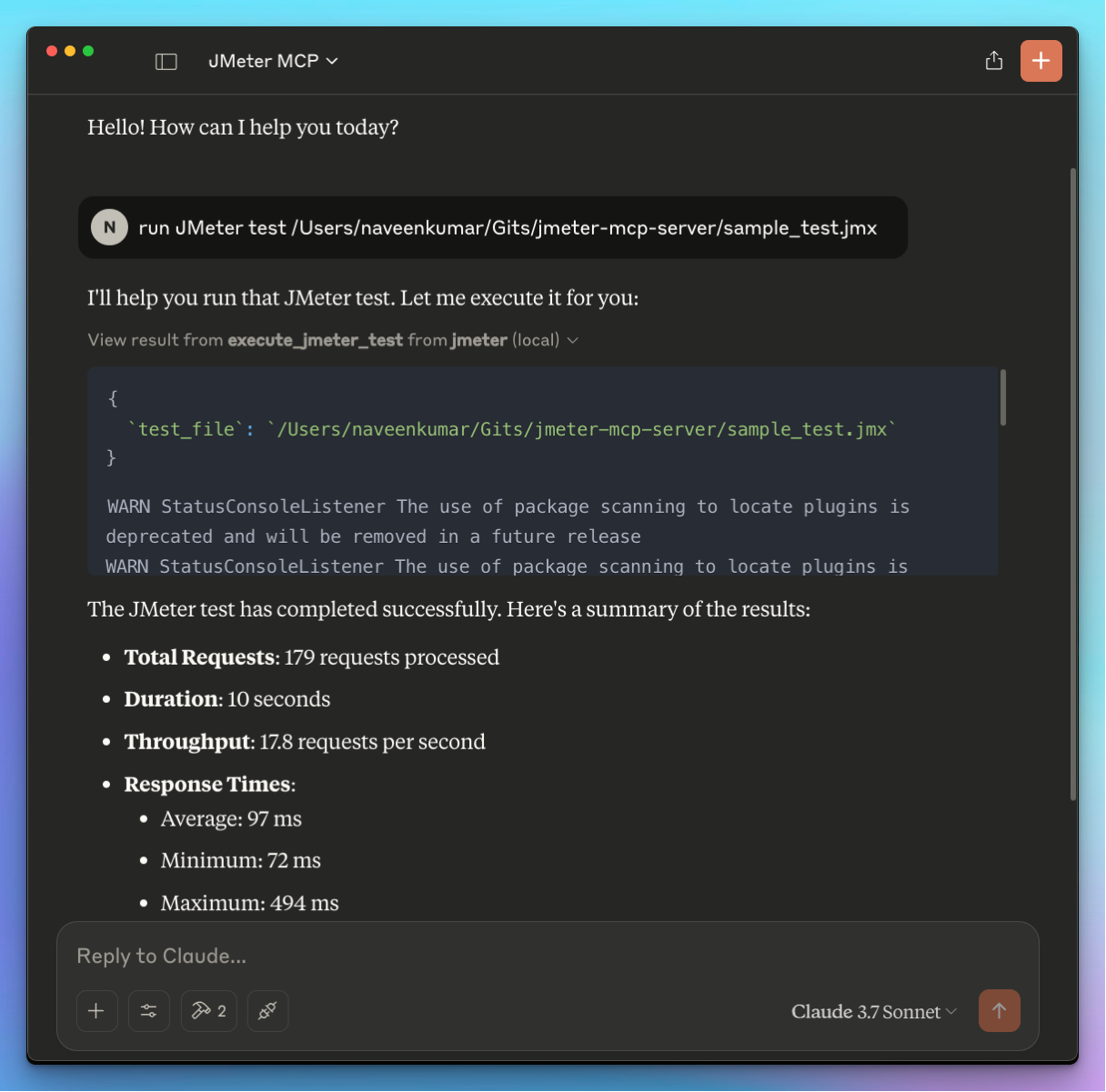
Overview
What is JMeter MCP Server?
The ### JMeter MCP Server is an innovative solution that integrates Apache JMeter with AI workflows, enhancing performance testing capabilities. It allows users to execute JMeter tests in a more efficient manner, leveraging artificial intelligence to optimize test scenarios and results analysis. This server is designed for developers and testers who want to streamline their testing processes while ensuring high-quality software delivery.
Features of JMeter MCP Server
- AI Integration: The JMeter MCP Server utilizes AI algorithms to analyze test results and provide insights that help in optimizing test cases.
- User-Friendly Interface: It offers an intuitive interface that simplifies the process of creating and managing test plans.
- Scalability: The server can handle multiple test executions simultaneously, making it suitable for large-scale testing environments.
- Real-Time Monitoring: Users can monitor test executions in real-time, allowing for immediate adjustments and troubleshooting.
- Comprehensive Reporting: The server generates detailed reports that provide insights into performance metrics, helping teams make informed decisions.
How to Use JMeter MCP Server
- Installation: Download the JMeter MCP Server from the official repository and follow the installation instructions provided in the documentation.
- Configuration: Configure the server settings according to your testing requirements. This includes setting up test parameters, AI integration options, and user permissions.
- Creating Test Plans: Use the user-friendly interface to create and customize your test plans. You can define scenarios, specify load conditions, and set performance metrics.
- Executing Tests: Start your tests directly from the server. The AI algorithms will analyze the execution in real-time, providing insights and suggestions.
- Reviewing Results: After the test execution, review the comprehensive reports generated by the server. Use these insights to optimize your application and improve performance.
Frequently Asked Questions
Q1: What is the primary purpose of the JMeter MCP Server?
A1: The primary purpose of the JMeter MCP Server is to enhance performance testing by integrating AI workflows, allowing for more efficient test execution and analysis.
Q2: Can I use JMeter MCP Server for large-scale testing?
A2: Yes, the JMeter MCP Server is designed to handle large-scale testing environments, supporting multiple simultaneous test executions.
Q3: Is there a cost associated with using JMeter MCP Server?
A3: The JMeter MCP Server is a public repository, and it is available for free. However, users may need to consider costs associated with infrastructure and additional tools.
Q4: How does AI improve the testing process in JMeter MCP Server?
A4: AI improves the testing process by analyzing test results in real-time, providing insights that help optimize test cases and improve overall performance.
Q5: Where can I find more information about JMeter MCP Server?
A5: More information can be found on the official website jmeter.ai and the GitHub repository QAInsights/jmeter-mcp-server.
Details
Server Config
{
  "mcpServers": {
    "jmeter-mcp-server": {
      "command": "docker",
      "args": [
        "run",
        "-i",
        "--rm",
        "ghcr.io/metorial/mcp-container--qainsights--jmeter-mcp-server--jmeter-mcp-server",
        "python main.py"
      ],
      "env": {}
    }
  }
}


