Mcp Server For Arangodb

This is a TypeScript-based MCP server that provides database interaction capabilities through ArangoDB. It implements core database operations and allows seamless integration with ArangoDB through MCP tools. You can use it with the Claude app and also with the VSCode extension that works with MCP, like Cline!
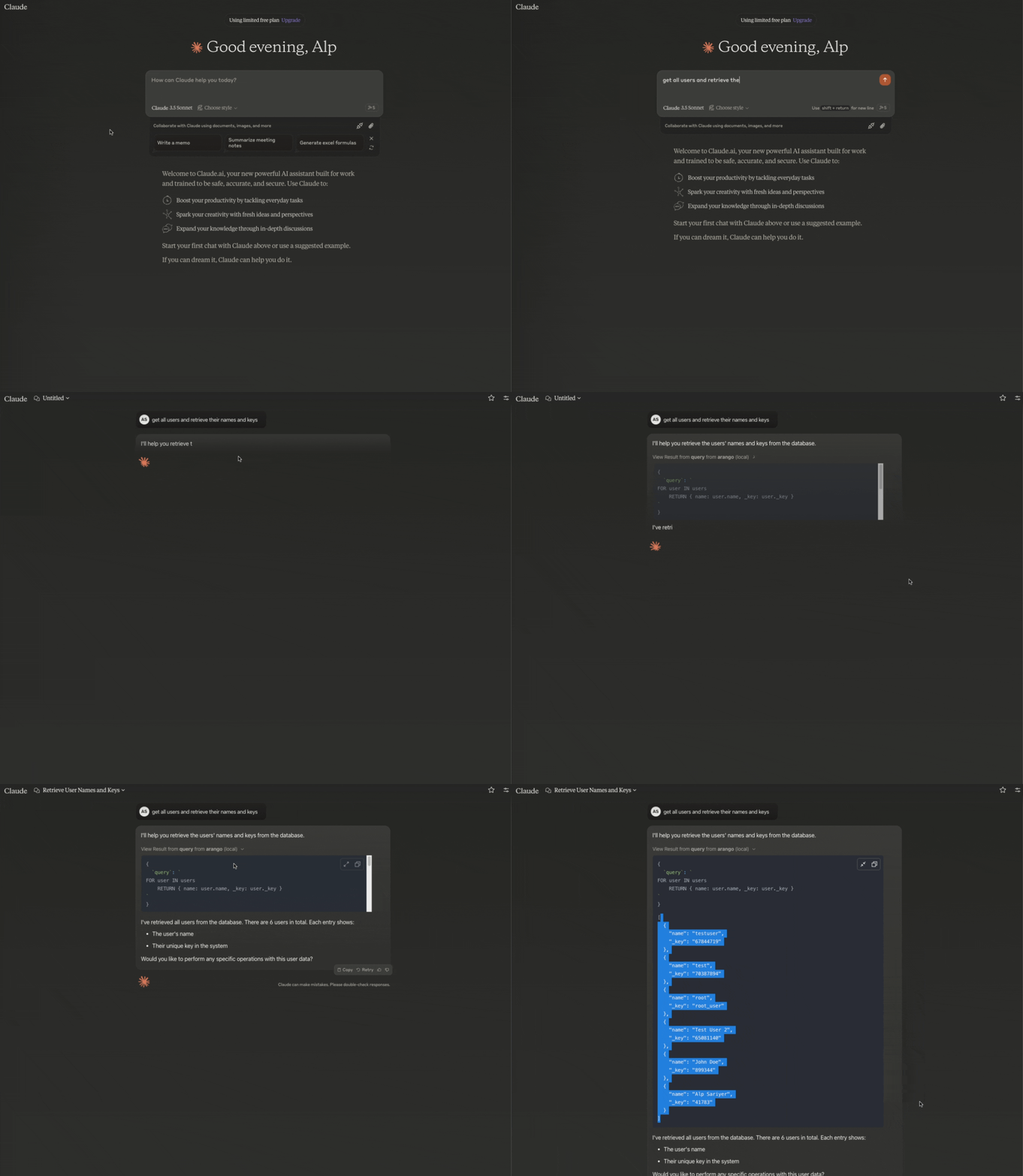
Overview
What is MCP Server ArangoDB?
MCP Server ArangoDB is a server based on TypeScript, designed to facilitate interactions with databases using ArangoDB. It acts as middleware that implements essential database operations, allowing for seamless integration with various MCP tools. This server is especially beneficial for developers aiming to enhance their applications with strong database functionalities.
Features of MCP Server ArangoDB
- TypeScript Support: Developed with TypeScript, ensuring type safety and an improved development experience.
- Database Operations: Implements core operations such as create, read, update, and delete (CRUD) for effective data management.
- Integration with ArangoDB: Enables easy integration with ArangoDB, a multi-model database that supports document, graph, and key/value data models.
- Compatibility with MCP Tools: Works smoothly with MCP tools, enhancing the capabilities of applications like Claude and extensions for Visual Studio Code (VSCode).
- Open Source: The project is publicly accessible, promoting community contributions and collaboration.
How to Use MCP Server ArangoDB
-
Installation: Clone the repository from GitHub and install the necessary dependencies using npm or yarn.
git clone https://github.com/ravenwits/mcp-server-arangodb.git cd mcp-server-arangodb npm install -
Configuration: Set up your ArangoDB connection details in the configuration file. Make sure your database is running and accessible.
-
Running the Server: Start the server using the command:
npm start -
API Usage: Use the provided API endpoints to perform database operations. Refer to the documentation for detailed API specifications and examples.
-
Integration: Integrate the MCP server with your application, utilizing its capabilities to manage data effectively.
Frequently Asked Questions
What is ArangoDB?
ArangoDB is a multi-model database that supports various data models, including document, graph, and key/value. It is designed for flexibility and scalability, making it suitable for a wide range of applications.
Can I contribute to the MCP Server ArangoDB project?
Yes! The MCP Server ArangoDB is an open-source project, and contributions are welcome. You can fork the repository, make changes, and submit a pull request for review.
Is there documentation available for MCP Server ArangoDB?
Yes, comprehensive documentation is available in the repository. It includes setup instructions, API references, and examples to help you get started.
How can I report issues or request features?
You can report issues or request features by opening an issue in the GitHub repository. Be sure to provide detailed information to help the maintainers understand your request.
What license is MCP Server ArangoDB under?
MCP Server ArangoDB is licensed under the MIT license, allowing for free use, modification, and distribution.
Details
Server Config
{
  "mcpServers": {
    "mcp-server-arangodb": {
      "command": "docker",
      "args": [
        "run",
        "-i",
        "--rm",
        "ghcr.io/metorial/mcp-container--ravenwits--mcp-server-arangodb--mcp-server-arangodb",
        "npm run start"
      ],
      "env": {
        "ARANGO_URL": "arango-url",
        "ARANGO_DB": "arango-db",
        "ARANGO_USERNAME": "arango-username",
        "ARANGO_PASSWORD": "arango-password"
      }
    }
  }
}


