Mcp Server For Asana

Overview
What is MCP Server Asana?
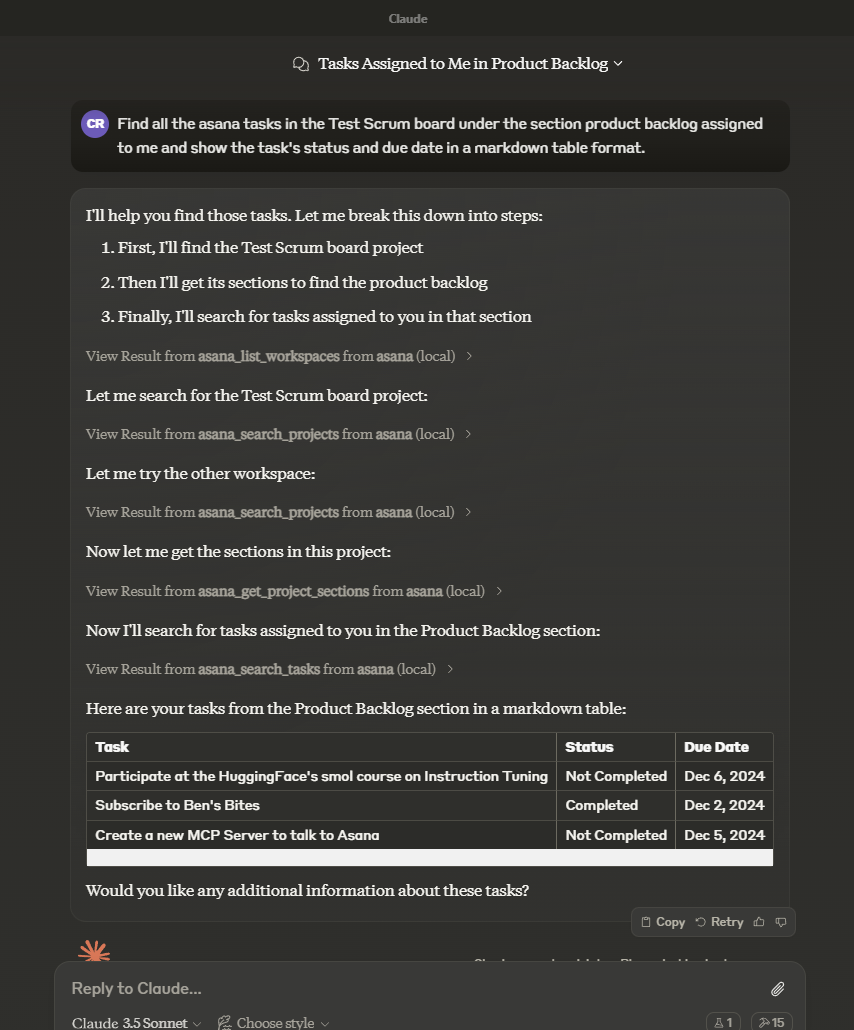
MCP Server Asana is a public repository designed to integrate with Asana, a popular project management tool. This repository provides a server-side implementation that allows users to manage tasks, projects, and workflows seamlessly within the Asana ecosystem. By utilizing MCP Server Asana, developers can automate processes, enhance productivity, and streamline project management tasks.
Features of MCP Server Asana
- Integration with Asana: Directly connects with Asana's API to manage tasks and projects efficiently.
- Task Automation: Automates repetitive tasks, reducing manual effort and increasing productivity.
- User-Friendly Interface: Designed with an intuitive interface that simplifies navigation and usage.
- Real-Time Updates: Provides real-time synchronization with Asana, ensuring that all changes are reflected immediately.
- Open Source: Being a public repository, it allows developers to contribute, modify, and enhance the functionality as per their needs.
How to Use MCP Server Asana
-
Clone the Repository: Start by cloning the MCP Server Asana repository from GitHub to your local machine.
git clone https://github.com/roychri/mcp-server-asana.git -
Install Dependencies: Navigate to the project directory and install the necessary dependencies.
cd mcp-server-asana npm install -
Configure API Keys: Set up your Asana API keys in the configuration file to enable integration.
-
Run the Server: Launch the server using the command:
npm start -
Access the Interface: Open your web browser and navigate to the local server URL to start managing your Asana tasks.
Frequently Asked Questions
Q1: Is MCP Server Asana free to use?
Yes, MCP Server Asana is an open-source project, and it is free to use and modify.
Q2: Can I contribute to the MCP Server Asana project?
Absolutely! Contributions are welcome. You can fork the repository, make changes, and submit a pull request.
Q3: What programming languages are used in MCP Server Asana?
The project is primarily built using JavaScript and Node.js, leveraging Asana's API for integration.
Q4: How can I report issues or bugs?
You can report issues by creating a new issue in the GitHub repository under the "Issues" tab.
Q5: Where can I find the documentation for MCP Server Asana?
Documentation is available in the repository's README file, and further details can be found in the Wiki section of the GitHub page.
Details
Server Config
{
  "mcpServers": {
    "mcp-server-asana": {
      "command": "docker",
      "args": [
        "run",
        "-i",
        "--rm",
        "ghcr.io/metorial/mcp-container--roychri--mcp-server-asana--mcp-server-asana",
        "npm run start"
      ],
      "env": {
        "ASANA_ACCESS_TOKEN": "asana-access-token"
      }
    }
  }
}


