🪐 Mcp Ipfs Server (storacha.network) 🛰️

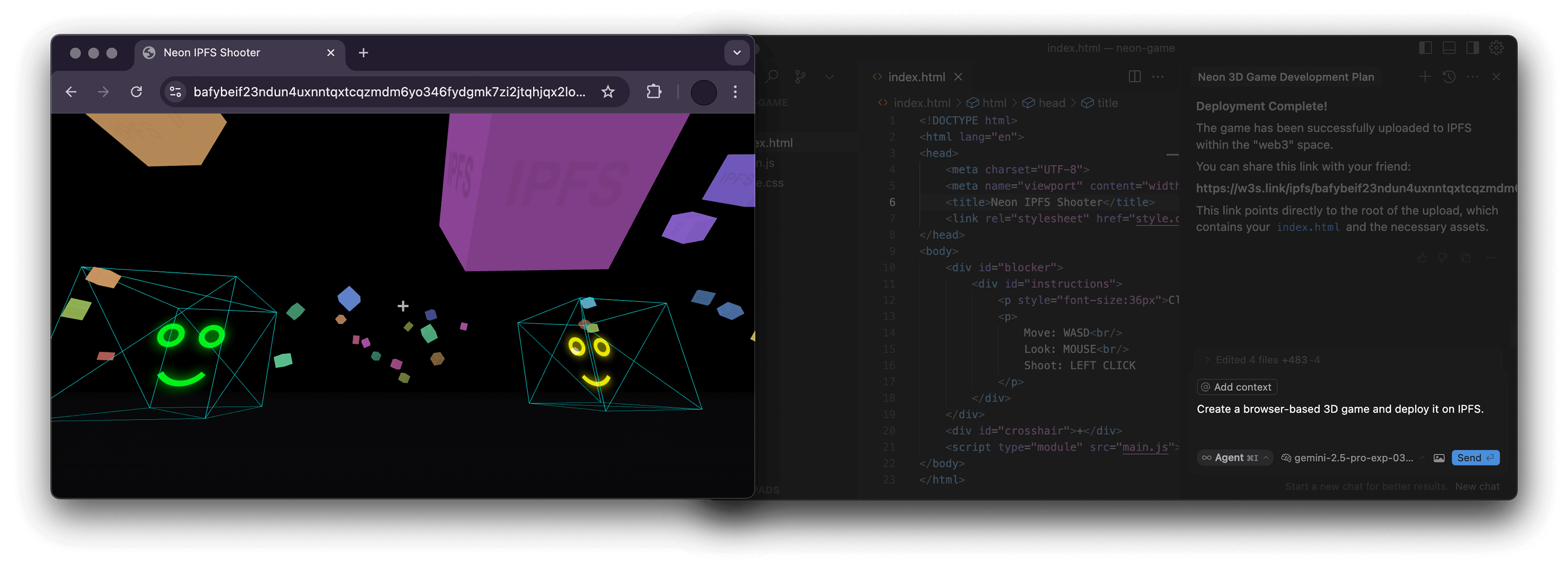
Overview
What is MCP IPFS?
MCP IPFS (InterPlanetary File System) is a decentralized storage protocol designed to make the web faster, safer, and more open. It allows users to store and share files in a distributed manner, ensuring that data is not reliant on a single server or location. By utilizing a peer-to-peer network, MCP IPFS enhances data availability and resilience against censorship.
Features of MCP IPFS
- Decentralization: Unlike traditional file storage systems, MCP IPFS does not rely on a central server. This reduces the risk of data loss and censorship.
- Content Addressing: Files are identified by their content rather than their location. This means that even if a file is moved, it can still be accessed using its unique identifier.
- Version Control: MCP IPFS supports versioning, allowing users to track changes and revert to previous versions of files easily.
- Efficient Data Distribution: The protocol optimizes data transfer by fetching files from multiple sources simultaneously, improving download speeds.
- Interoperability: MCP IPFS can be integrated with various applications and platforms, making it versatile for different use cases.
How to Use MCP IPFS
- Installation: Begin by installing the MCP IPFS software on your device. This can typically be done through package managers or by downloading the binaries from the official website.
- Initialization: After installation, initialize your IPFS node using the command line interface. This sets up your local repository and connects you to the IPFS network.
- Adding Files: Use the command
ipfs add <file>to upload files to the IPFS network. This generates a unique hash for each file, which can be used to retrieve it later. - Retrieving Files: To access a file, use the command
ipfs cat <hash>, replacing<hash>with the file's unique identifier. - Sharing Files: Share the generated hash with others, allowing them to access the file directly from the IPFS network.
Frequently Asked Questions
Q: What are the benefits of using MCP IPFS over traditional file storage?
A: MCP IPFS offers enhanced security, faster data retrieval, and greater resilience against data loss and censorship due to its decentralized nature.
Q: Is MCP IPFS suitable for large files?
A: Yes, MCP IPFS is designed to handle large files efficiently by breaking them into smaller chunks and distributing them across the network.
Q: Can I use MCP IPFS for private data?
A: While MCP IPFS is primarily a public network, you can encrypt your files before uploading them to ensure privacy.
Q: How does MCP IPFS handle data redundancy?
A: Data redundancy is achieved through its decentralized architecture, where multiple nodes can store copies of the same file, ensuring availability even if some nodes go offline.
Q: Is there a cost associated with using MCP IPFS?
A: Using MCP IPFS is free, but you may incur costs related to the infrastructure if you choose to run your own nodes or use third-party services for hosting.
Details
Server Config
{
  "mcpServers": {
    "mcp-ipfs": {
      "command": "docker",
      "args": [
        "run",
        "-i",
        "--rm",
        "ghcr.io/metorial/mcp-container--alexbakers--mcp-ipfs--mcp-ipfs",
        "npm run start"
      ],
      "env": {}
    }
  }
}